实例一
1. 寻找可用的 WebView 入口
通过 adb 查看应用中声明的 Activity 信息
adb shell dumpsys package com.xxx.xxx
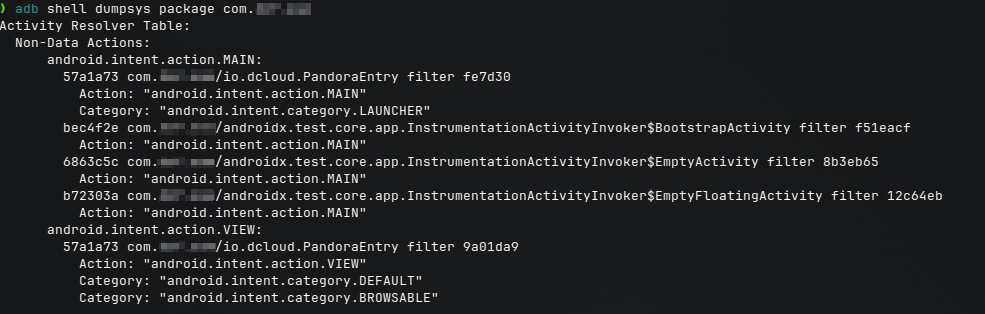
在输出中重点关注 Activity Resolver Table,尤其是同时包含以下特征的 Activity:
Action: android.intent.action.VIEWCategory: android.intent.category.BROWSABLE
这类 Activity 通常用于处理 Deep Link / 外部链接跳转,是 WebView 容器最常见的入口形态之一(但仅凭 BROWSABLE 还不能完全断定其一定是 WebView,需要进一步验证)
2. 寻找可加载外部链接的方式
尝试使用 adb shell am start 主动唤起该 Activity,并传入一个外部 URL:
adb shell am start -n com.xxx.xxx/io.dcloud.PandoraEntry -a android.intent.action.VIEW -d "http://baidu.com"
执行后应用会被拉起,但页面直接跳转回应用首页,并未显示外部网页。
进一步测试发现,当 URL 中包含明确的路径(如以 .html 结尾)时,该 Activity 可以正常加载外部页面:
adb shell am start -n com.xxx.xxx/io.dcloud.PandoraEntry -a android.intent.action.VIEW -d "http://baidu.com/index.html"
该现象更可能与壳对 URL 的处理逻辑或重定向行为有关,而非“只能加载 html 结尾的页面”
至此,可以基本确认:
该 Activity 是一个可被外部唤起、且能够加载外部 URL 的 WebView 容器入口。
3. 连接 WebView 调试
为了进一步分析 WebView 内部环境,使用 算法助手 Pro 打开目标应用的辅助功能。
在应用详情中进入「快捷功能」,找到并开启 webViewDebug 选项:
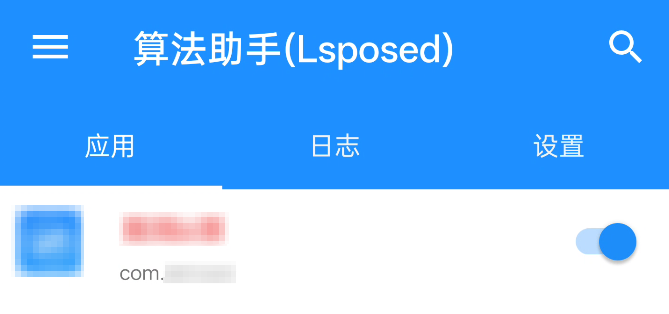
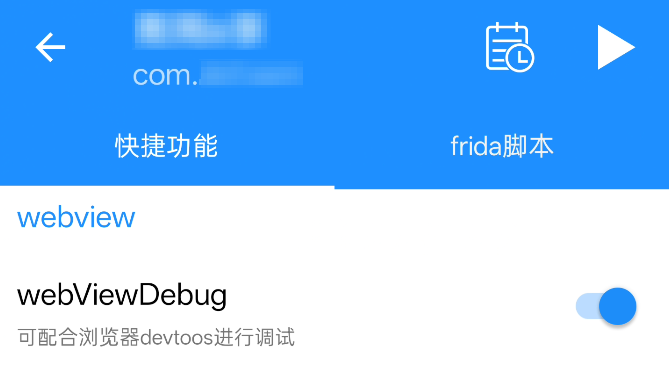
手机打开 ADB 调试,电脑的 Chromium 内核浏览器地址栏输入 chrome://inspect/#devices
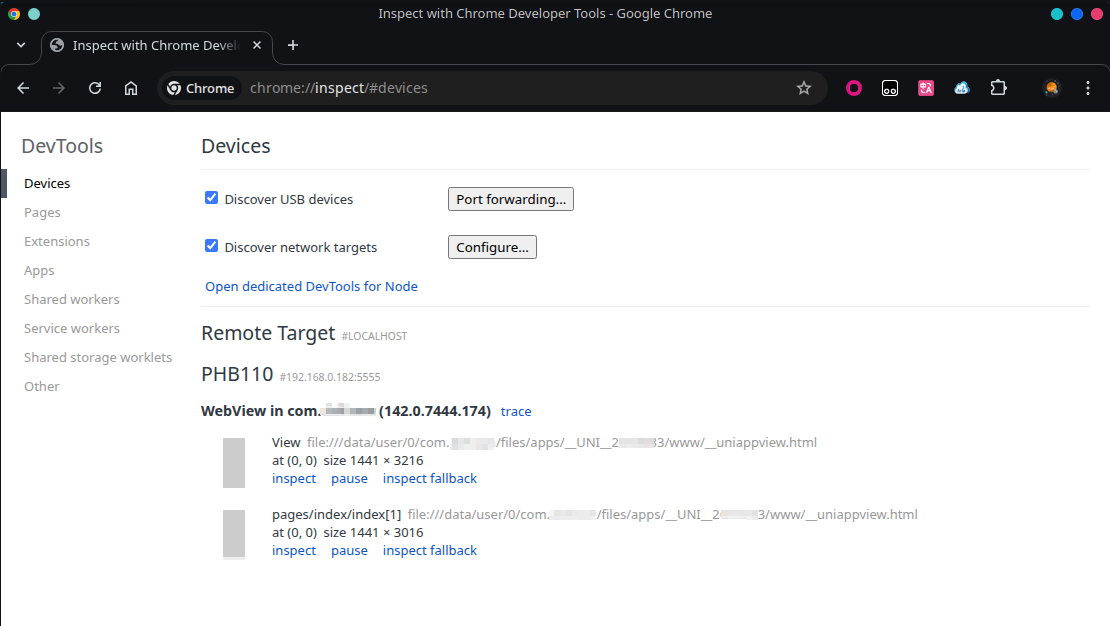
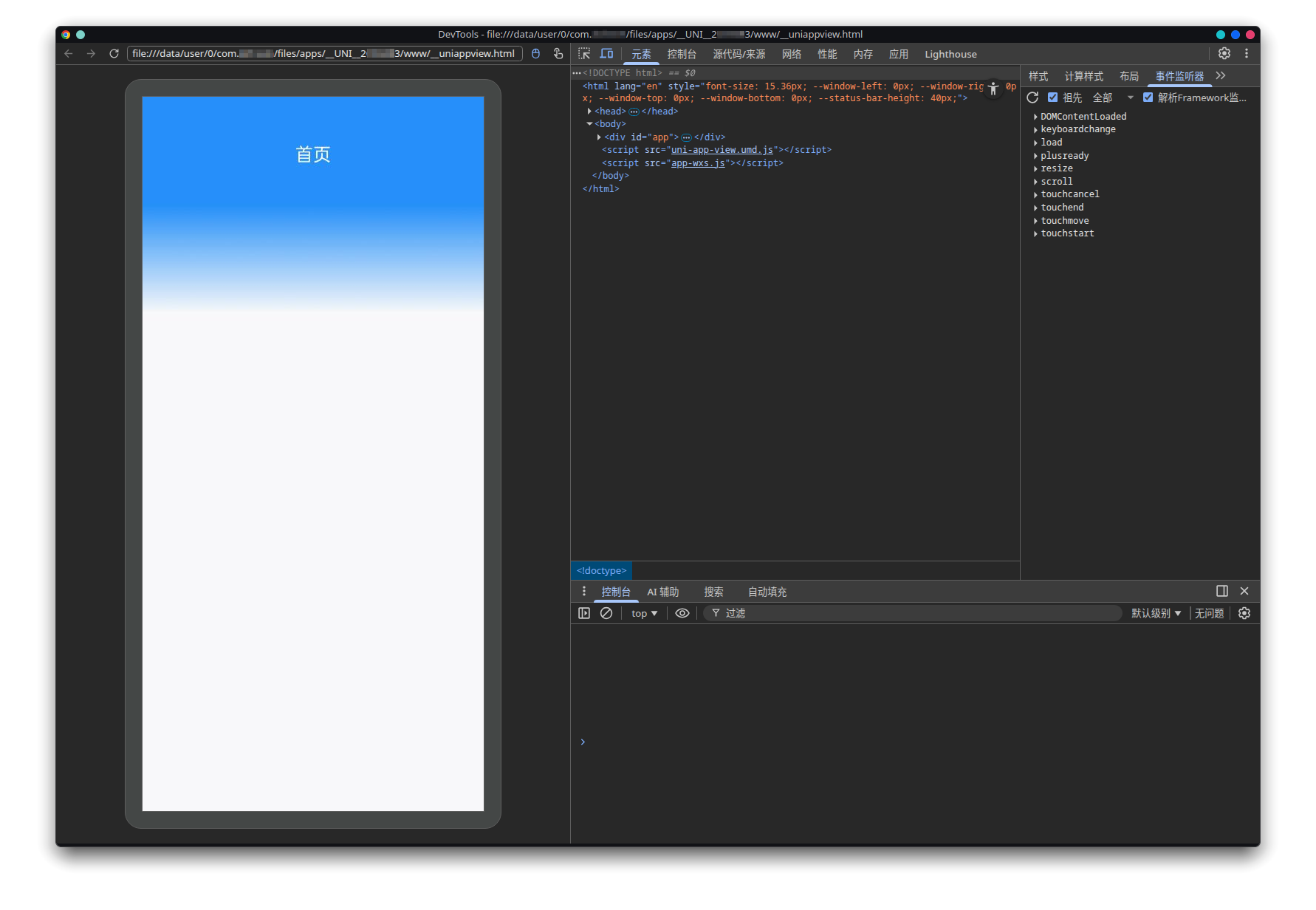
4. 识别 WebView 的运行时与扩展能力
为了识别 WebView 中是否存在额外注入的对象(如 JSBridge / 壳运行时接口),分别在:
- 桌面浏览器 DevTools
- WebView DevTools
中执行以下语句:
copy(Object.getOwnPropertyNames(window).sort())
该语句用于获取当前环境下 window 对象中所有直接挂载的全局属性名。
通过对比两者输出结果,可以发现 WebView 环境中多出了一些桌面浏览器中不存在的全局对象,例如:
plusuniUniViewJSBridge
这些额外对象通常意味着 WebView 被注入了原生扩展能力或框架运行时,是 WebView 安全分析的重要线索
结合以下信息:
- WebView 中存在
plus、uni等对象 - 入口 Activity 名称为
io.dcloud.PandoraEntry - 相关对象命名与 DCloud 生态高度一致
可以推断该应用使用了 DCloud / uni-app 构建
查阅其Html5+文档以了解可用的原生扩展 API:
题外话:在查阅文档时可以看到一些行业联盟/组织相关介绍,容易让人误以为 HTML5+ 属于“标准规范”;
实际上它是 DCloud 生态下的私有扩展 API,而非 W3C/浏览器标准。
6. 构造 PoC 验证原生能力是否对外部页面暴露
根据文档说明,plus 对象在 WebView 初始化完成后才可用,因此需要等待 plusready 事件
构造如下 PoC 页面:
<html>
<head>
  <meta charset="utf-8">
  <title>POC</title>
</head>
<body>
  <h1>WebView POC</h1>
  <script>
    function onPlusReady() {
      alert(plus.runtime.appid);
    }
    if (window.plus) {
      onPlusReady();
    } else {
      document.addEventListener('plusready', onPlusReady, false);
    }
  </script>
</body>
</html>
当该 PoC 通过外部 URL 被加载到应用 WebView 中后,成功弹窗并输出应用的 appid,验证了外部可控页面可以在该 WebView 中访问壳注入的原生扩展接口(plus API)
参考
转载请注明来源,欢迎对文章中的引用来源进行考证,欢迎指出任何有错误或不够清晰的表达。